MQTT Server
 April 27, 2026
3 min read
April 27, 2026
3 min read
The Florida Mesh MQTT server supports individual account credentials.
This is meant to enable Florida Mesh to provide better stability for the MQTT server and easier to identify responsible parties if there an issue pops up that was not possible using shared credentials as originally launched. The shared credentials have been deprecated and removed completely.
The broker is EMQX with floodgate, an ExHook plugin that keeps MQTT packets on the public channels from being rebroadcast over RF, to preserve the health of the mesh. Rebroadcasting all public channel traffic saturates local airtime with noise from traffic all over the state. Channels with a private key, or a name other than the public ones, are unaffected. The intent is to affect as little traffic as possible while preserving fair airtime for everyone.
It currently accepts only Meshtastic traffic under the msh/US/FL root topic. You can publish to your own subgroup beneath it, such as msh/US/FL/mygroup, but not to a parent topic.
Warning
If you are trying to connect to the Florida Mesh MQTT server, you must create an account. Shared credentials do not work at all now.
To facilitate this, Florida Mesh is utilizing a custom Discord server bot, @MeshBot, that can accept commands in
the #mqtt channel.
Once MeshBot has direct messaged (DM) you, commands can then be sent via DM rather than in the channel and do not require you to @-mention the bot by name.
You must allow direct messages from server members in Discord before requesting an account. If this privacy setting is disabled, MeshBot will not be able to DM you.

Requesting an MQTT Account
Use MeshBot to request a new MQTT account. Mention @MeshBot and run the mqtt.request command with the username argument set to the MQTT username you want to use.
Example:
In #mqtt channel
@MeshBot mqtt.request username:your_username
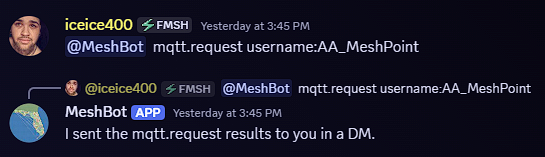
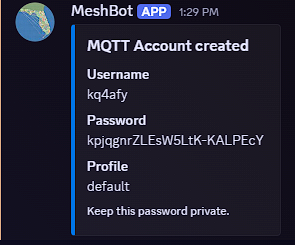
After the account is created, MeshBot will DM the MQTT credentials to you. These credentials are used with mqtt.areyoumeshingwith.us. Keep them private and only use them on nodes you operate.
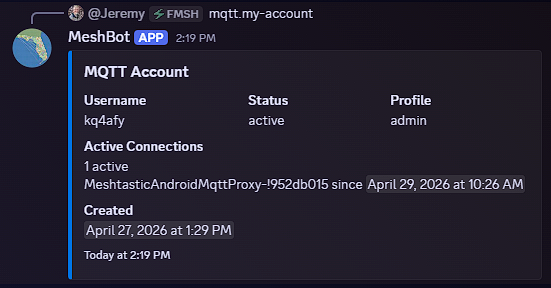
You can check the MQTT account currently linked to your Discord account with:
In #mqtt channel
@MeshBot mqtt.my-account
In DM with @MeshBot
mqtt.my-account
If your node needs a different MQTT policy profile, request that change from the Admins. Include the account username, node ID, and a short explanation of what access you need changed.
Resetting your MQTT Password
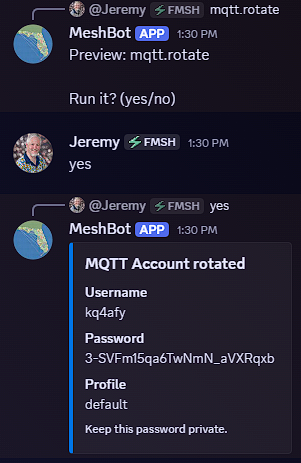
Use MeshBot in the Discord server channel to rotate your MQTT account password:
In #mqtt channel
@MeshBot mqtt.rotate
In DM with @MeshBot
mqtt.rotate
Tip
Some MeshBot commands like mqtt.rotate that make changes require confirmation before the action to be taken is performed.
MeshBot will DM the replacement credentials to you. After receiving them, update the MQTT password on every node using that account. Old passwords should be considered inactive after a rotation.
If you cannot rotate your own password, ask an Admin to reset it for you.